


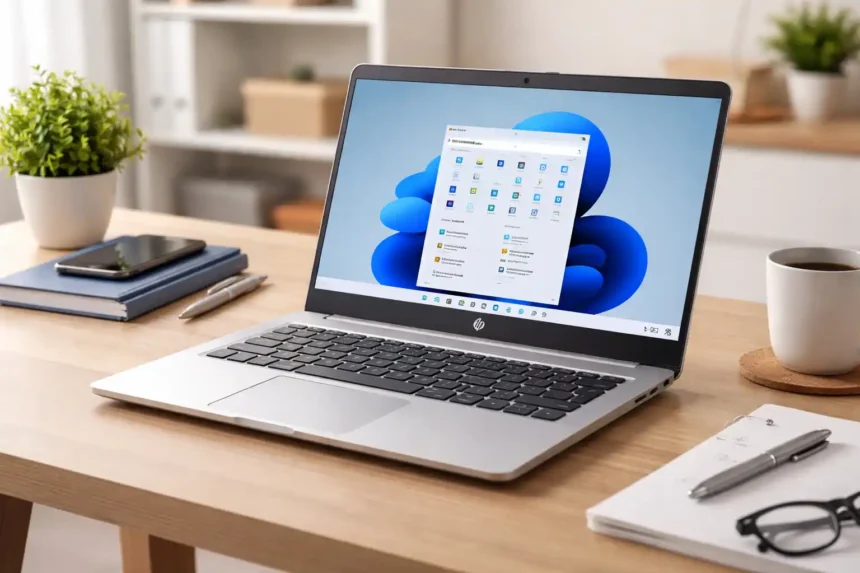
The hp laptop 14s cf1xxx is a popular budget-friendly laptop series designed for everyday users. Whether you are a student, freelancer, or office worker, this laptop aims to deliver a balance of performance, portability, and affordability. Manufactured by HP, this series includes multiple configurations, making it flexible for different needs and budgets.
This guide explains everything in simple and easy wording so you can clearly understand whether this laptop is right for you or not.
Introduction to HP Laptop 14s cf1xxx
The hp laptop 14s cf1xxx is not just one model—it is a complete lineup of laptops that come with different processors, RAM options, and storage types. This means you can find both entry-level and mid-range versions under the same series name.
The main purpose of this laptop is to provide smooth performance for daily tasks such as web browsing, document editing, online meetings, and light entertainment. It is especially useful for people who want a reliable laptop without spending too much money.
Design and Build Quality
The design of the hp laptop 14s cf1xxx is simple, clean, and practical. It does not try to look overly premium, but it still offers a modern appearance that fits well in professional and academic environments.
The laptop has a lightweight body, usually around 1.5 kilograms, which makes it easy to carry in a backpack. This is especially useful for students and professionals who travel frequently.
In terms of build quality, it uses a plastic chassis. While it may not feel as premium as metal laptops, it is durable enough for everyday usage. The hinges are stable, and the overall construction is reliable for long-term use.
Display Features
The hp laptop 14s cf1xxx comes with a 14-inch display, which is considered an ideal size for both portability and usability. Most variants feature Full HD resolution (1920×1080), providing clear and sharp visuals.
The anti-glare screen helps reduce reflections, making it easier to use the laptop in bright environments. This feature is particularly helpful for long working hours, as it reduces eye strain.
While the display is good for daily tasks like watching videos and working on documents, it is not designed for professional-level color accuracy. Therefore, it may not be the best choice for graphic designers or video editors.
Performance and Processor Details
One of the key strengths of the hp laptop 14s cf1xxx is its variety of processor options. Depending on the model, you can find:
- Intel Core i3 for basic tasks
- Intel Core i5 for balanced performance
- Intel Core i7 for higher performance needs
The Core i5 variant, especially the i5-8265U, is the most popular choice because it offers a good balance between speed and efficiency. It can handle multitasking smoothly, such as running multiple browser tabs, office applications, and light software simultaneously.
However, it is important to understand that this laptop is not built for heavy workloads like advanced video editing or gaming.
RAM and Storage Options
The hp laptop 14s cf1xxx offers flexible memory and storage configurations, which is one of its biggest advantages.
RAM Options
- 4GB RAM (basic usage)
- 8GB RAM (recommended for smooth performance)
- Upgradeable up to 16GB
Storage Options
- Traditional HDD (slower but cheaper)
- SSD (faster and highly recommended)
- Dual storage support (HDD + SSD in some models)
Below is a simple comparison:
| Feature | HDD | SSD |
|---|---|---|
| Speed | Slow | Very Fast |
| Boot Time | Longer | Quick |
| Performance | Average | Smooth |
| Recommendation | Budget users | Best choice |
Upgrading to an SSD can significantly improve the laptop’s speed and overall experience.
Graphics and Multimedia
The hp laptop 14s cf1xxx comes with integrated Intel UHD Graphics. These graphics are sufficient for everyday multimedia tasks such as:
- Watching videos in HD
- Light photo editing
- Casual gaming
However, it is not suitable for heavy gaming or high-end graphical work. If your main goal is gaming, this laptop may not meet your expectations.
Battery Life and Charging
Battery performance is average in this laptop series. On normal usage like browsing and office work, it can last around 4 to 6 hours.
Battery life depends on several factors, including screen brightness, applications used, and background processes. Some models support fast charging, which allows you to quickly recharge the battery when needed.
Connectivity and Ports
The hp laptop 14s cf1xxx includes all essential connectivity options required for daily use. These typically include:
- USB 3.0 ports
- USB Type-C port
- HDMI port
- SD card reader
- Wi-Fi and Bluetooth
This variety of ports ensures that you can connect external devices like flash drives, monitors, and accessories without any issues.
Keyboard and Touchpad Experience
The keyboard on this laptop is comfortable for typing and suitable for long working sessions. The keys are well-spaced, making it easier to type quickly and accurately.
The touchpad is responsive and supports multi-touch gestures, which improves navigation. While it may not be the best in class, it performs well for everyday tasks.
Operating System and Software
Most versions of the hp laptop 14s cf1xxx come with Windows 10 or Windows 11. This ensures compatibility with modern software and applications.
You can easily install tools required for:
- Office work
- Freelancing
- Browsing and research
- Communication apps
The system also supports regular updates, which helps maintain performance and security.
Real-World Performance
In real-life usage, the hp laptop 14s cf1xxx performs well for basic and moderate tasks. It is ideal for:
- Students attending online classes
- Freelancers working on SEO, blogging, or content writing
- Office users handling documents and emails
The performance remains smooth if you choose at least 8GB RAM and an SSD. Lower configurations may struggle with multitasking.
Upgrade Options
One of the biggest advantages of this laptop is its upgrade flexibility. Users can improve performance over time by upgrading components.
You can upgrade:
- RAM up to 16GB
- Storage by adding or replacing SSD
These upgrades can extend the life of the laptop and make it more efficient for future use.
Pros and Cons
Advantages
The hp laptop 14s cf1xxx is lightweight, affordable, and upgradeable. It is a practical choice for daily computing needs and offers good value for money.
Disadvantages
The laptop has average battery life and is not suitable for gaming or heavy professional tasks. The plastic build may also feel less premium compared to higher-end models.
Price and Value for Money
The hp laptop 14s cf1xxx is considered a budget-friendly option. Its price varies depending on the configuration and condition.
- Used models are more affordable
- New or refurbished units cost more
Overall, it offers good value, especially if upgraded with SSD and higher RAM.
Who Should Buy This Laptop?
This laptop is best suited for users who need a reliable device for everyday tasks. It is ideal for:
- Students
- Freelancers
- Office workers
However, it is not recommended for gamers or professionals who require high-performance machines.
Final Verdict
The hp laptop 14s cf1xxx is a solid choice for anyone looking for a budget laptop that handles daily tasks efficiently. It may not be the most powerful device, but it delivers consistent performance for its price.
If you upgrade it with an SSD and sufficient RAM, it becomes even more capable and can serve you well for several years.